Problem
What you can make
Share contact details without spelling anything out
Use a contact QR code on business cards, event badges, handouts, and follow-up material so people can save details faster.
Solution
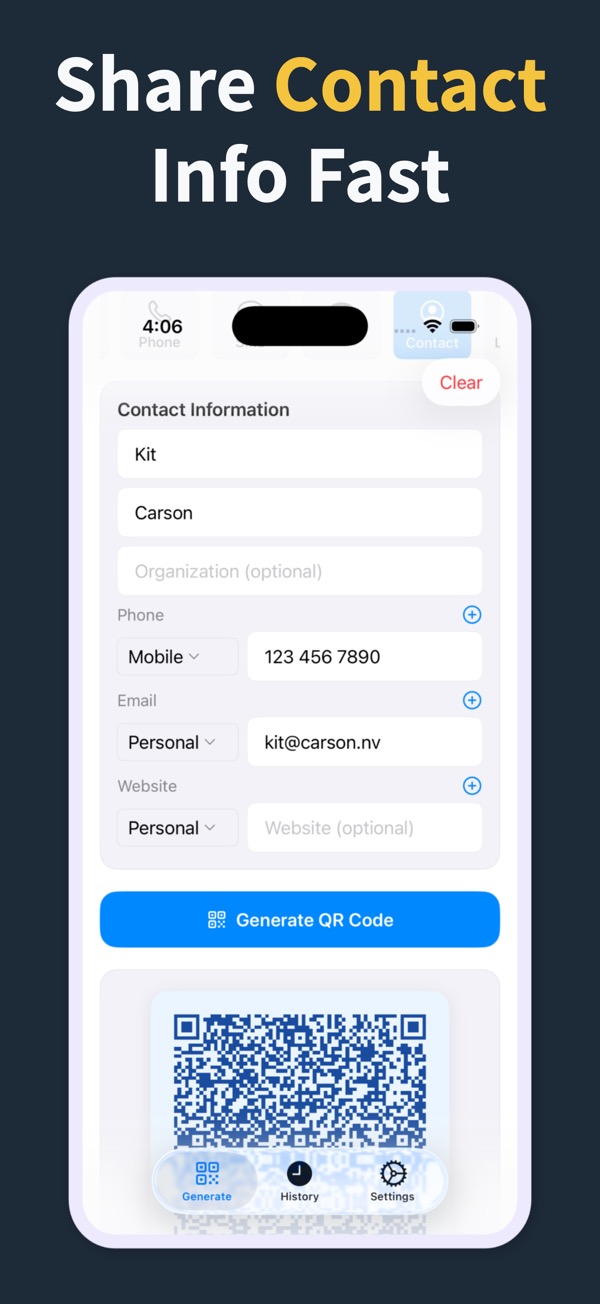
Package contact information into one scannable QR code that can travel with your printed or digital materials.
What you can make
Contact QR Code Generator
01Create QR codes for contact information alongside URLs, phone, email, and SMS options.
02Add QR codes to business cards, classroom sheets, and event materials.
03Keep contact QR codes in history for updates and repeated use.
Questions
Can the app create QR codes for contact information?
Yes. The app supports contact QR codes.
Is this useful for business cards?
Yes. High-quality output makes contact QR codes practical for cards and printed networking material.
Can I also make phone or email QR codes separately?
Yes. Phone and email QR codes are supported separately.
QR Code Generator Maker
Make your next QR code look intentional
Download QR Code Generator Maker and turn links, WiFi details, contacts, and locations into scannable codes in seconds.
Download on the App Store