
Problem
What you can make
Make QR codes that match the moment
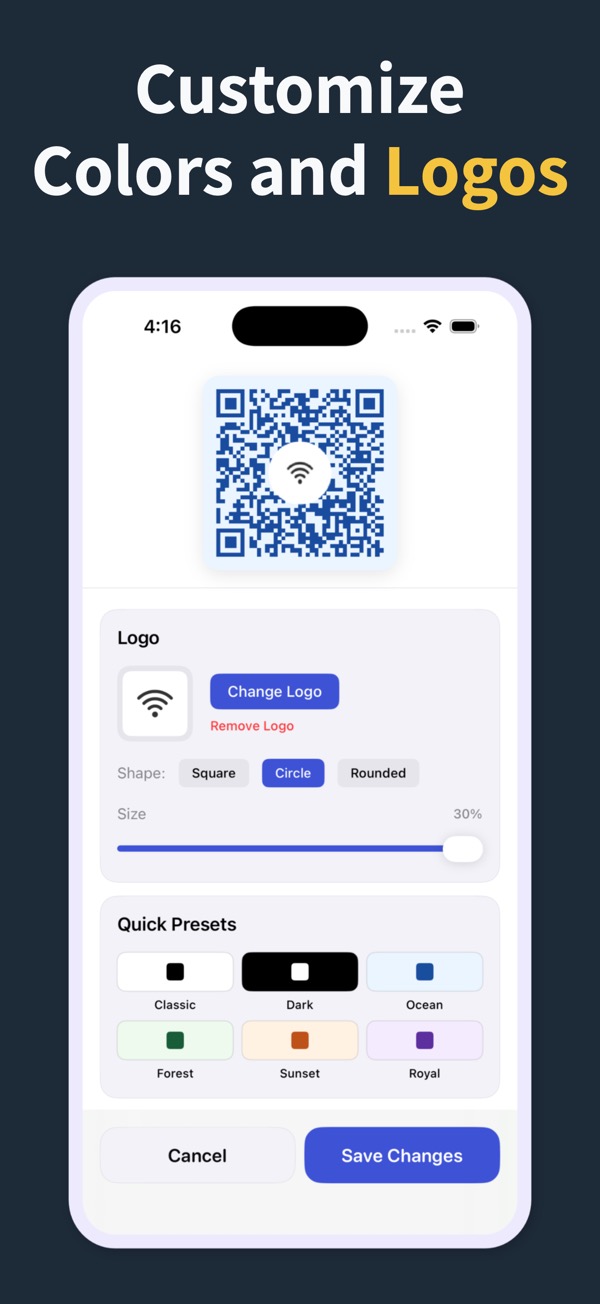
Customize the visual tone of a QR code before it goes on a flyer, sign, menú, card, or social post.
Solution
Use built-in styling controls to adjust color, margin, and presets while keeping the QR code practical and scannable.
What you can make
Custom QR Code Maker
01Tune the QR code color and surrounding margin for cleaner placement.
02Use professional presets when you need a quick polished style.
03Keep custom QR codes in history so campaign materials stay easier to manage.
Questions
Can a custom QR code still scan reliably?
Yes. The goal is to customize the look while preserving enough contrast and clean spacing for scanning.
Can I make QR codes for branding?
Yes. The app includes customization options and styling presets for more professional presentation.
Can I reuse a styled QR code later?
The app includes history access so previous QR codes are easier to find and manage.
QR Code Generator Maker
Make your next QR code look intentional
Download QR Code Generator Maker and turn links, WiFi details, contacts, and locations into scannable codes in seconds.
Download on the App Store